
Network Authentication
From time to time, mapped drives or network resources may need to re-authenticate to the network. This normally occurs after a system reboot or initial logon.
In these cases, you will be prompted for your username and/or password.
How to Reconnect
- When the credential prompt appears, enter the same password you use to logon to your computer in the Password field (1)
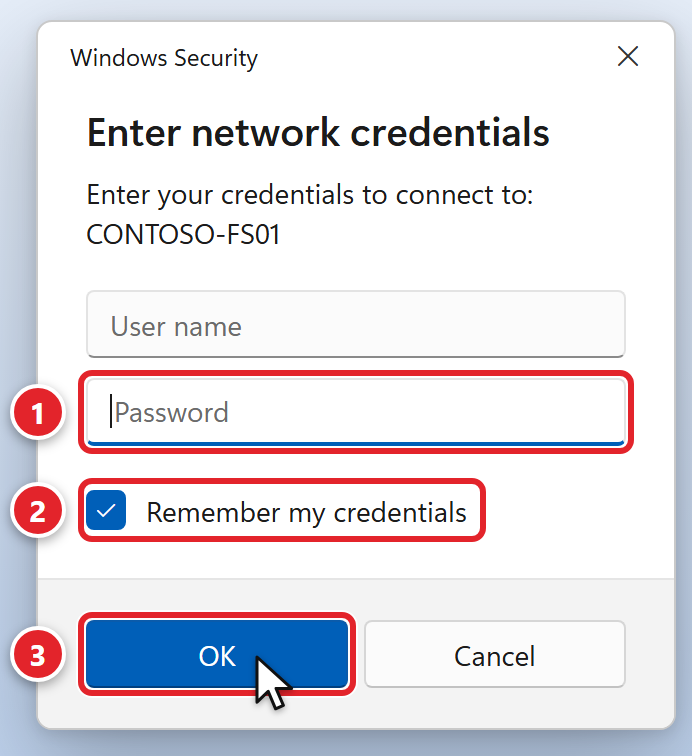 This is a normal Windows prompt for your company's shared drives. Your server's name will be different.
 - Select "Remember my credentials" (2)
- Click "OK" (3)
- You will be connected to the network resource again shortly
If your computer prompts you for your username, in most cases this is your first initial and last name (e.g., Bob Adams would be "BAdams").
If after entering your credentials you continue to have issues connecting to the network, please let us know by submitting a support request or responding back to your open ticket.
Was this article helpful?