
Website Filtering / Website Blocked
The IT Experience implements a number of tools to ensure malicious websites and content are restricted from your computer and network. In some instances, websites or links may be incorrectly categorized as malicious.
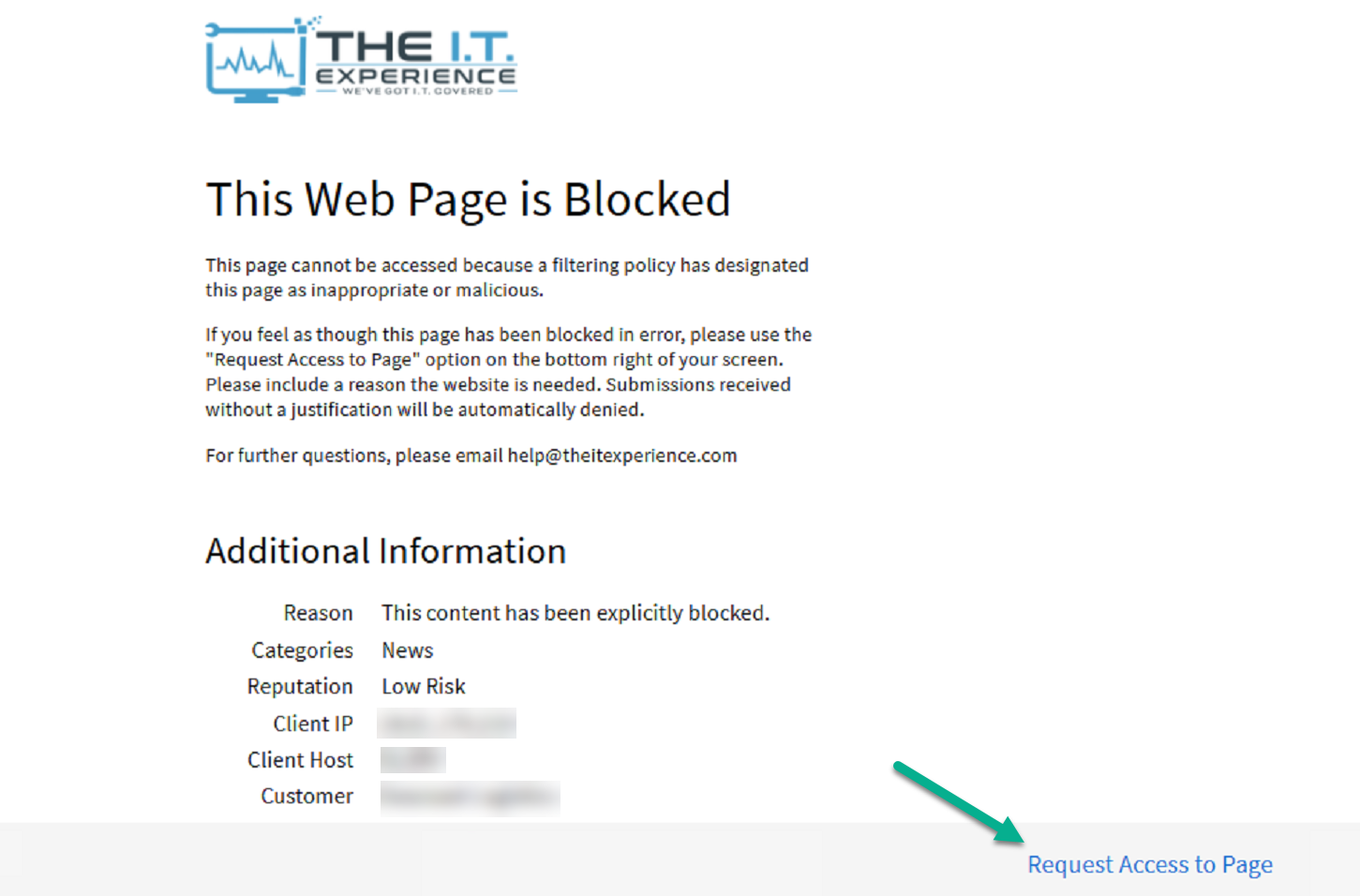
In the event you visit a website or click on a link and receive a notice that "This Web Page is Blocked", we made it easy for you to report this incorrect categorization and request the website be approved for future use.
How to Request a Website Be Approved
- Visit the website that is blocked
- When you reach the notice showing "This Web Page is Blocked," simply select "Request Access to Page" on the bottom right of the notice
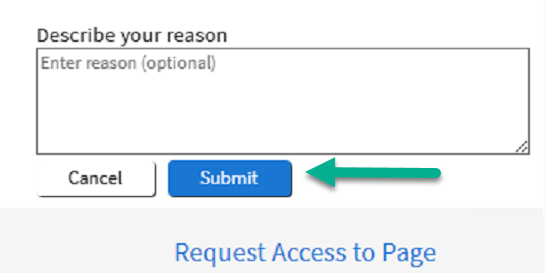
- Once selected, provide a reasoning for the website to be unblocked and click "Submit"
- Our team will receive the request and review the website. If the website is found not to be malicious, the website will be unblocked for all future sessions.
Approval Timeline
Review of the requested website normally takes 90 seconds, however in some cases may take upwards of 5 minutes. Once the website is approved, you will be alerted with a pop-up from the Archon filtering agent.
After approval: Please allow up to 15 minutes for the change to be provisioned. If access to the site is time-sensitive, clear your browser cache/cookies to force the update.
Was this article helpful?