
Windows Secure Boot: Certificates Expiring in 2026
If you've opened the Windows Security app recently and seen a yellow warning under Secure Boot, you're not alone. This article explains in plain English what's happening, what the message actually means, and why — if you're a managed client — there's nothing for you to do.
What is Secure Boot and why does this matter?
Secure Boot is a security feature that has been built into Windows PCs since 2012. It uses a set of digital certificates stored in your computer's firmware to make sure that only trusted software is allowed to load when your PC starts up. This protects you from a particularly nasty class of malware that infects the computer before Windows even loads (sometimes called a "bootkit").
Those certificates were originally issued in 2011, and like a passport or driver's license, they have an expiration date. After 15 years of service, the original Secure Boot certificates start expiring in late June 2026. Microsoft has issued new 2023 certificates and is rolling them out to PCs through Windows Update.
The three statuses you might see
Inside the Windows Security app, under Device security → Secure Boot, you may see one of three icons. Here's what each means.
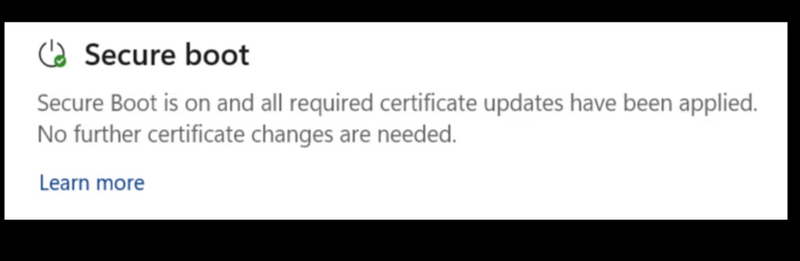
Green checkmark — You're done
Your PC has the updated 2023 certificates and there's nothing to do. The message reads: "Secure Boot is on and all required certificate updates have been applied. No further certificate changes are needed."
Yellow exclamation — Don't worry, we've got you covered
This is the message most people will see first. It's an informational nudge, not an error. The text reads: "Secure Boot is on, but your device does not support the automated Secure Boot certificate update due to hardware or firmware limitations. Contact your device manufacturer for assistance."
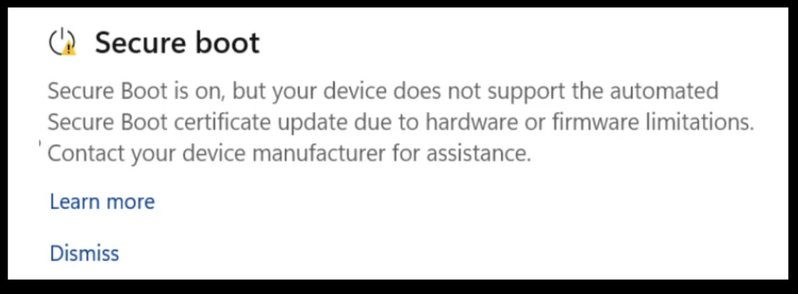
Sometimes the wording is slightly different (for example, "Your device is still using an old certificate…" or "using an older boot trust configuration"), but the meaning is the same. There's usually a Dismiss button if you want to hide the notification.
Red stop icon — We still have your back
This icon appears only after the old certificates have expired (late June 2026 or later) and your PC still hasn't received the new ones: "Secure Boot is on, but this device can no longer receive required updates for the Windows boot experience."
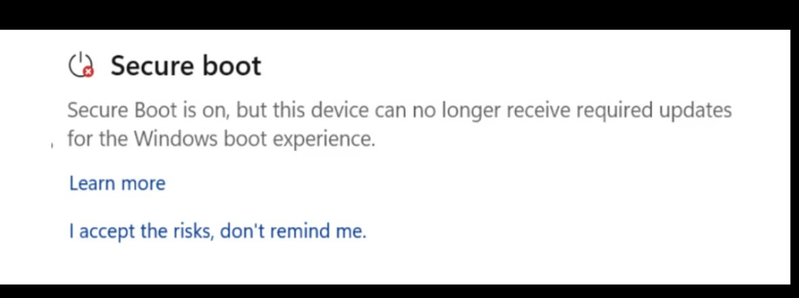
If you see this message, select "I accept the risks, don't remind me." and we'll take it from there. Even in this state, your PC keeps starting up and Windows keeps installing regular updates.
Will you get a pop-up notification?
Starting mid-May 2026, Windows can also show occasional toast notifications — the small banners that slide in from the bottom-right of your screen — if you're in the yellow or red state. The main place you'll notice it, though, is still inside the Windows Security app under Device security → Secure Boot.